
Introduction
A complete, automated WordPress hosting solution using OpenTofu, Docker, and Traefik. Deploy a secure, fast WordPress site to Hetzner Cloud in minutes with TLS, caching, and security hardening out of the box.
Find the code here.
Update: I’ve split the code into 3 repos, making it more scalable for future deployments. Deploy them in the below order and you will be fine.
At the quick start section below, just follow the steps for these 3 repos and you will be fine.
The challenge
Setting up a production-ready WordPress server is tedious. You need to:
- Provision a VPS
- Configure TLS certificates
- Set up a reverse proxy
- Optimize PHP and MySQL
- Handle backups and security
- Debug why WP-Cron isn’t working
I wanted a single command that gives me a secure, fast WordPress site. OK, ok, it grew to a bit more than a single command, but it will still save your hours and maybe days.
The solution
This OpenTofu configuration deploys a complete WordPress stack to https://www.hetzner.com/cloud.
Tech stack
┌─────────────────────────┬─────────────────────────┐
│ Component │ Technology │
├─────────────────────────┼─────────────────────────┤
│ Cloud Provider │ Hetzner Cloud VPS │
├─────────────────────────┼─────────────────────────┤
│ Provisioning │ OpenTofu │
├─────────────────────────┼─────────────────────────┤
│ Container Orchestration │ Docker Compose │
├─────────────────────────┼─────────────────────────┤
│ Reverse Proxy & SSL │ Traefik (Let’s Encrypt) │
├─────────────────────────┼─────────────────────────┤
│ Web Server │ Nginx + PHP-FPM │
├─────────────────────────┼─────────────────────────┤
│ Database │ MariaDB 11 │
├─────────────────────────┼─────────────────────────┤
│ Object Cache │ Redis 7 │
└─────────────────────────┴─────────────────────────┘
Key feature
✅ Automatic TLS. Let’s Encrypt certificates via Traefik
✅ Redis Object Cache. Persistent object caching for WordPress
✅ WP-CLI Ready. Run wp commands without installing PHP locally
✅ Security Hardened. Headers, firewalls, disabled file editing
✅ System Cron. Reliable WP-Cron via Linux cron
✅ Automatic Updates. WordPress core security updates enabled
Security highlights
- Hetzner Cloud Firewall and UFW block all ports except 22, 80, 443
- Traefik TLS and rate limiting
- Kernel hardening and AppArmor
- Fail2ban for automatic SSH brute-force protection
- Security Headers like XSS protection, content-type sniffing disabled, strict referrer policy
- Automatic security updates on the host
Quick start
Prerequisites:
- OpenTofu
- Hetzner Cloud account with API token
- SSH key pair (ed25519 recommended)
- Domain name
Clone the repository:
git clone https://github.com/cyberbitsorg/infra-oneshot-vps
cd infra-oneshot-vps
Set the variables from the example file:
cp terraform.tfvars.example terraform.tfvars
vim terraform.tfvars
Set these at least:
hcloud_token   = "your-api-token"
admin_email    = "you@example.com"
domain         = "your-domain.com"
admin_username = "yourusername"
Deploy:
tofu init
tofu apply
Then simply follow all instructions the setup script gives you. Setting up DNS after this step is essential! You’ll be guided through the rest of the setup.
Results
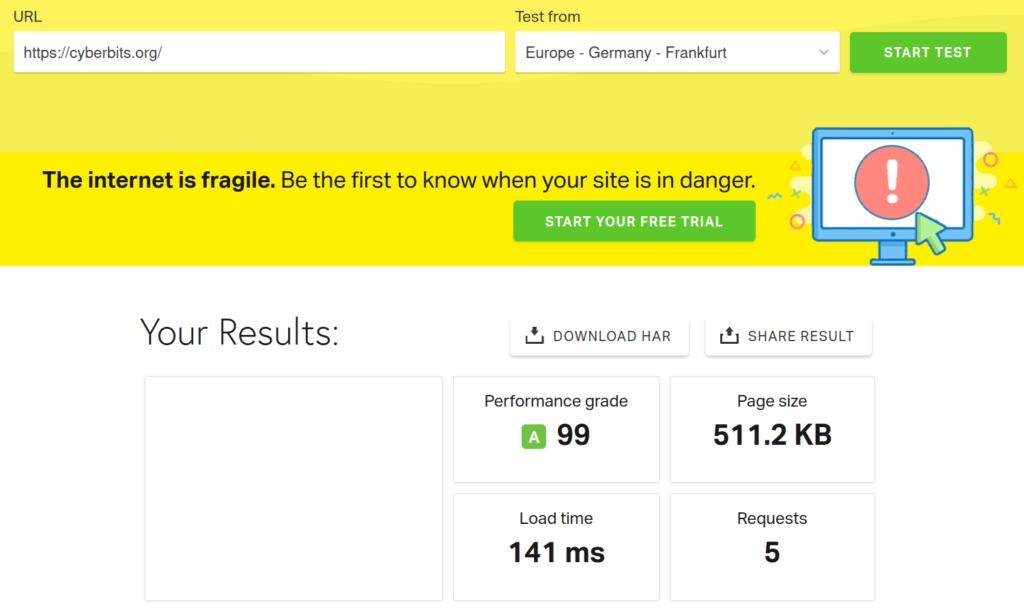
🚀 Speed
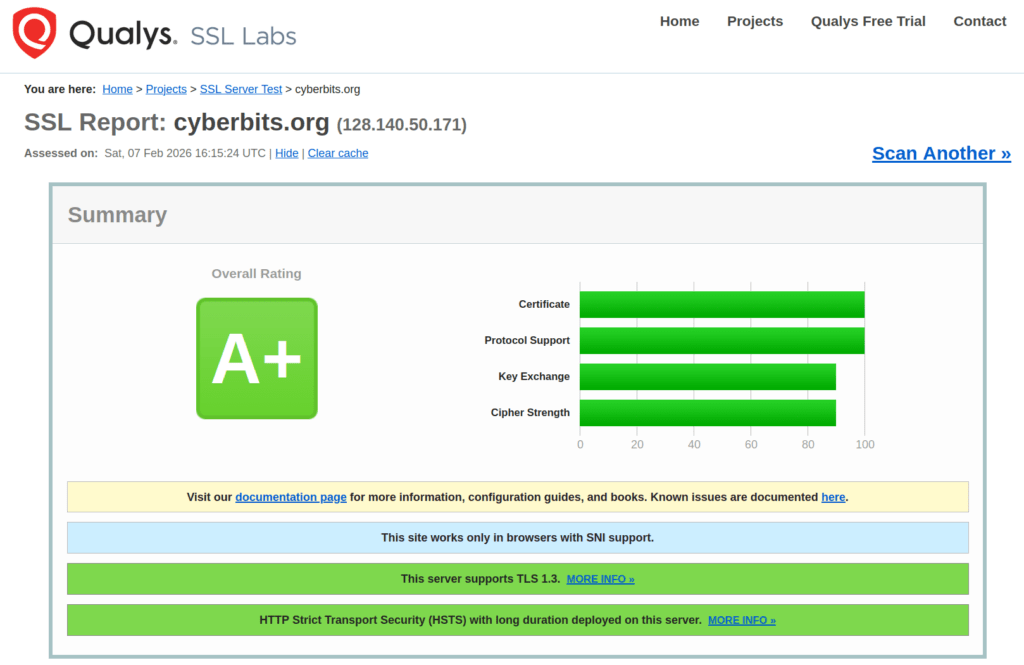
🔐 Security
Wrapping up
This gives you a rock solid, secure WordPress VPS for as low as $4 – $5 per month (depending on your VPS of choice).
The only downside, is that this is a ‘one shot’ deployment. Meaning, after deploying it, it is not manageable with the same code you’re deploying it with. In other words, for changes to your config, you’ll need to SSH into your VPS and do your thing.
Next time I’ll go more in dept and will be using some configuration management tool (Ansible most probably), to make this more manageable in the long run as well.