
Introduction
As promised last week, today I’ll cover the Artificial Intelligence (AI) module that was added to the Google’s Cybersecurity Professional Certificate program.
Although it’s a bit basic, this module, being part of a cybersecurity course, got me thinking. I ended up on YouTube, and did some research. I found out that cybersecurity deals/has to deal with AI a lot. On the defensive side, but on the offensive side as well.
Long story short: as a security professional you really, really need to know more on AI than the basic stuff. That is why I decided that, in addition to my cybersecurity adventure and certifications, I’ll be pursuing more AI knowledge and certifications as well.
The main focus still is cybersecurity! But it would be unwise to ignore AI in this space.
Certification
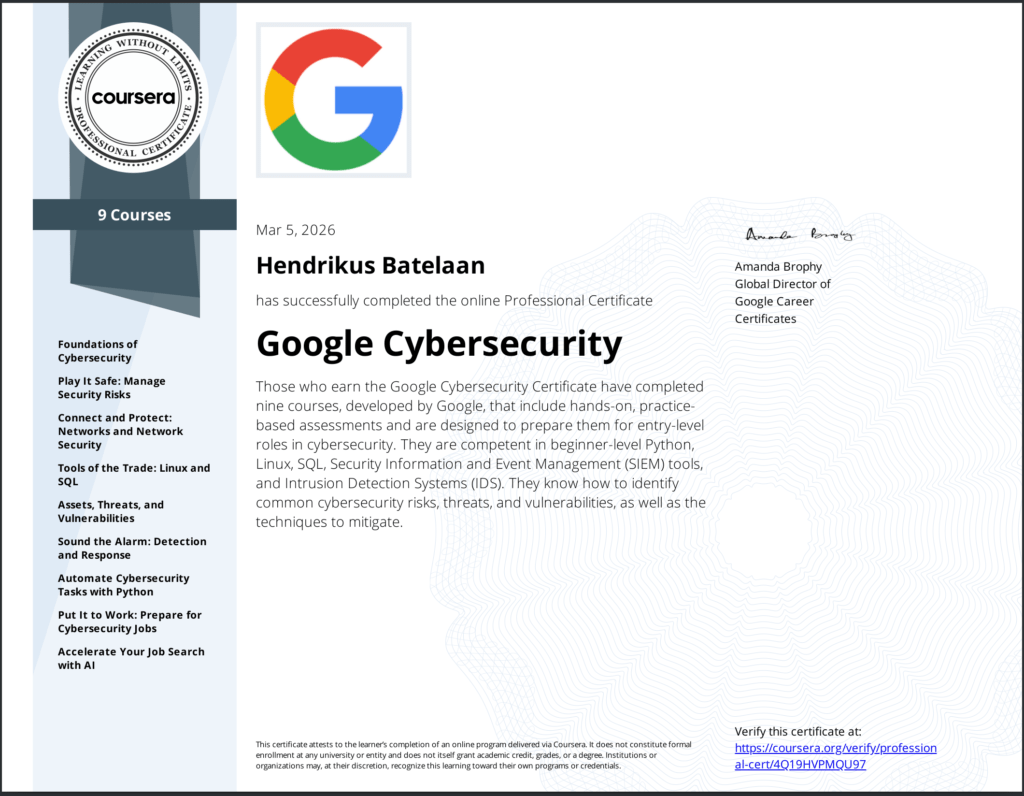
I was able to complete all course in the cybersecurity professional path, so my first cybersecurity certification is now official.
Enough about me! Let’s get on with the AI module of the last course.
Why AI matters in cybersecurity
- Speed and scale. Automates repetitive chores, crunches massive data sets, and feeds analysts faster, smarter decisions
- Two faces. Foundational AI (cognitive‑function software) vs. Generative AI (ChatGPT, Gemini, Copilot, Claude) that creates new content from prompts
- Human‑in‑the‑loop (HITL). Real world pros (e.g., Google Cloud Security Architects) treat AI as a teammate, always double‑checking its output
Core takeaways for security professionals
| What you can do | How AI helps | Best practices |
|---|---|---|
| Create test data | Generate synthetic “fake” datasets for tool validation | Review for realism before feeding into production |
| Summarize heavy docs | One‑click briefs of reports, meeting notes, threat intel | Spot‑check key facts; keep original source handy |
| Answer threat queries | Prompt AI for malware, ransomware, or attack‑vector details | Verify against reputable feeds (CVE, NVD, vendor advisories) |
| Automate triage | Quick email‑maliciousness scoring, alert prioritization | Use AI rankings as a first pass, then apply your IR plan |
| Code and vulnerability work | AI assisted code review, bug hunting, vulnerability research, doc writing | Keep a human reviewer; never push changes without testing |
| Continuous experimentation | Test new prompts, tools, and workflows to discover hidden efficiencies | Log what works, share with the team, iterate |
The T‑C‑R‑E‑I framework
GenAI needs prompts. Write clear prompts with the below framework and tips.
- Task. State the exact action & desired output format
- Context. Supply the background the model needs (e.g., “You are a SOC analyst reviewing IDS alerts”)
- References. Attach examples, snippets, or URLs when possible
- Evaluate. Check if the answer hits the mark
- Iterate. Refine the prompt, add details, or ask follow‑ups
Extra tips:
- Speak clearly, as you would to a colleague
- Keep order flexible; focus on substance
- Remember: AI assists, it doesn’t replace human expertise
Responsible AI use:
- Human‑in‑the‑loop (HITL) verification is non‑negotiable
- Never paste confidential or personal data into prompts; follow your org’s data‑handling policy
- Disclose AI assistance when sharing work externally
- The same guardrails apply across Gemini, ChatGPT, Copilot, Claude, etc.

Real world examples
Couple of real world examples from the course.
| Scenario | Prompt idea | Typical AI output |
|---|---|---|
| Decode NIST 800‑53 control SI‑5 | “Explain NIST SP 800‑53 control SI‑5, how to implement it for a non‑federal system, and useful enhancements.” | Summary, step‑by‑step implementation, optional hardening tips |
| Bughunt a Python log parser | “My function divides by the average login count; it crashes when count = 0. Suggest a fix.” | Conditional check if avg != 0: … plus edge‑case commentary |
| Prioritize IDS alerts | “Rank these three IDS alerts by severity, give reasoning, and suggest next steps.” | Ranked list, correlation hints, reminder to consult the IR playbook |
| Generate interview questions on CVEs | “Create 5 interview questions about recent high‑severity CVEs and model answers.” | Ready‑to‑use Q&A for prep |
Bottom line benefits
- Productivity Boost. Routine analysis, documentation, and code checks are fast‑tracked
- Strategic Focus. More time for threat hunting, architecture design, and decision‑making that only humans excel at
- Accelerated Response. Faster detection, triage, and remediation while maintaining security hygiene
Next
We set up a VPS with all bells and whistles a couple of weeks ago. Although it is a very cool project, it’s a one-shot, i.e. affter setting it up, you can’t manage it easily with the code provided.
Next week we’ll setup a VPS with the same functionality, but now we’ll make it manageable with the code provided.